A class calendar where every time slot, seat and teacher has a place
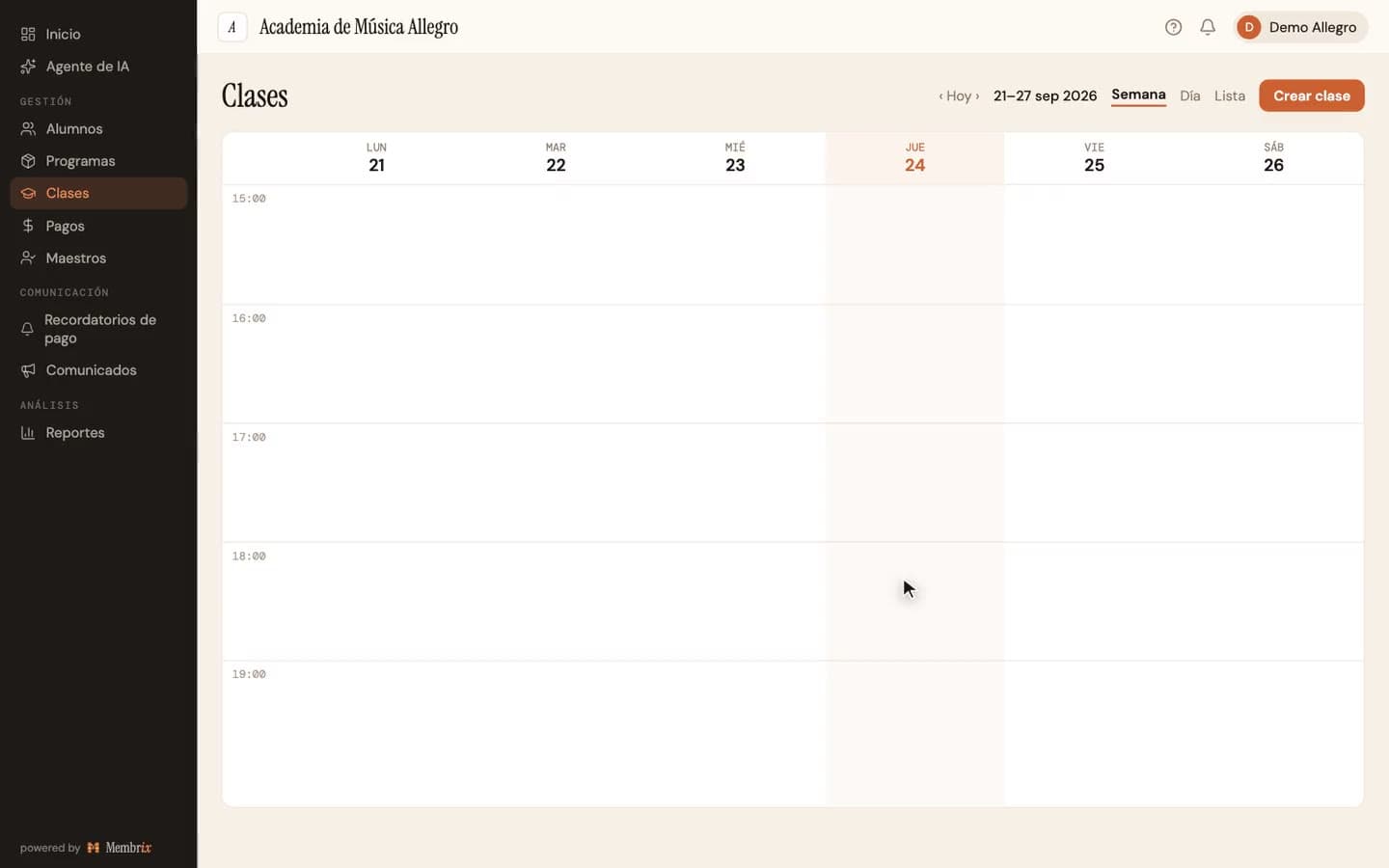
In Membrix you create a class by clicking the calendar, choose its days, time and capacity, and the system generates the dates. Later you cancel, reschedule or swap a teacher for one session without rebuilding the series.
Free plan with unlimited students. No credit card to start.
Membrix's app and dashboard are currently available in Spanish.
Your schedule lives in your head and three group chats
Every class has a day, a time, a teacher and a capacity, and all of them change during the year. If those facts live in chats, every change depends on you remembering to tell everyone.
- Each change, a class that moves or a teacher who is out, gets announced one person at a time, and someone always misses it.
- To know whether Thursday's class still has room, you count the roster by hand.
- A class that meets on several days is entered one date at a time in a generic calendar, with the same time on every day even when it isn't.
- When the regular teacher is out, there is nowhere to record who covered that afternoon.
How it works in Membrix, step by step
What you see here is what the product does today.
- 1
Create the class from the calendar
In the Week or Day view, click an empty slot and “New class” (Nueva clase) opens with that date and time filled in. You can also use the Create class (Crear clase) button. The calendar switches between Week, Day and List, and on a phone the page shows the List view.
- 2
Answer four questions
Who is it for (a group or one student), which days and what time (each day gets its own time), does it repeat (one day only or weekly), and from when to when. Optionally add a teacher, a maximum capacity, a room and a level. “Ends” starts without an answer on purpose, so you decide.
- 3
Check what will be created
Before you save, a box tells you how many dates will appear on the calendar, and the button repeats it. If the count is over 500, the button turns off and offers to shorten the end date instead of quietly trimming it.
- 4
Find what you need
Filter by type (group or individual), level, teacher and room, or search by student, class, teacher or location. Color the calendar by location, class, capacity or attendance.
- 5
Handle changes as they happen
Open a session and use “Cancel only this session” (Cancelar solo esta sesión). On a cancelled session, “Reschedule this class” (Reponer esta clase) lets you choose a new date and time, and the students move on their own. “Change teachers for this session” (Cambiar maestros de esta sesión) records a substitute. In the class itself you can assign a different teacher to each day.
- 6
Edit the series with a preview of the impact
When you change the schedule or the period, a card called “What happens when you save” (Qué pasa al guardar) tells you which sessions are rewritten and which aren't. Sessions already taught or cancelled aren't touched, and neither is a session whose attendance is half taken.
An example
A music school with piano and guitar (illustrative example)
The owner clicks Tuesday at 4 p.m. and creates “Piano level 1”: Tuesday at 4:00 and Thursday at 4:30, capacity six, room two, until December 15. One Tuesday the teacher is sick. The owner opens that session, cancels only that one, and the enrolled students get the notice in the app. The owner reschedules it for Friday and the students move to that date without being enrolled again.
What each plan includes
The whole calendar is on the free plan. Pro adds what leaves your desk: the app and the notifications.
Free
$0
- Calendar with Week, Day and List views
- Create, edit, cancel and reschedule classes and sessions
- Capacity per class, a teacher for each day and substitutes per session
- Attendance from the dashboard and filters by teacher, room and level
Pro
$49/moper location, billed monthly
- Everything in the free plan
- App notifications to enrolled students when a session is cancelled or rescheduled
- Class reminders through the app before each session
- Bookings with live capacity, and the Classes occupancy report with Excel export
- The calendar in the mobile app for you, your teachers and your students
Pro billed yearly: $41/mo per location ($499 a year). 7-day free trial.
What Membrix doesn't do here
So you don't find out after you sign up.
- There is no month view, only Week, Day and List, and the calendar can't be exported, printed or synced with Google Calendar.
- There is no holiday calendar. Sessions are generated on every day you mark, and a day without class is handled by cancelling that session.
- It doesn't warn you when two classes clash on a room, a teacher or a student. That check is still yours.
- There is no waiting list. When a class reaches its capacity it is marked full and nobody else can be enrolled.
- When you cancel a session you don't enter a reason, and the notice to enrolled students goes through the app, which is Pro.
Frequently asked questions
Can I set a different time on each day of the week?
+
Yes. When you create the class you check the days and each one gets its own time, for example Tuesday at 4:00 and Thursday at 4:30. What it doesn't support is a series whose days change from one week to the next. For that you create another class.
What if I change the schedule of a class that already has students?
+
Before you save, you see a preview of what will be rewritten and what won't. Sessions already taught or cancelled stay as they are, and anything pending from today onward takes the new schedule. If the change removes a student's booking, they are notified.
How does capacity work?
+
Each group class can have an optional maximum capacity. In the dashboard you see how many spots are left or that the class is full, and on the online registration form full classes are marked and can't be chosen. If you leave capacity empty, the class has no limit.
Who finds out when I cancel or reschedule a class?
+
Enrolled students and the teachers of that session get a notification in the mobile app, which stays in their inbox. The mobile app is part of Pro. On the free plan the session is cancelled or rescheduled all the same, but you tell people yourself.
How do classes relate to programs?
+
A program, for example “Monthly piano,” can have one or more classes linked to it, which Membrix calls series. When you enroll a student you choose which ones they join, and those are the ones that appear on their schedule. How the program is billed is set separately.
You might also like
More pages about Membrix:
Student attendance software
What comes after the schedule: marking who showed up.
Online registration for classes
Your classes, with time and capacity, shown on the sign-up form.
Music school management software
Private lessons and group classes on the same calendar.
Swim school management software
Many groups at once, with levels, capacity and makeups.
Stop sending your schedule through group chats
Create your first class with one click on the calendar. It's free, with unlimited students.
Free plan with unlimited students. Pro is $49 a month per location, with a 7-day free trial.
Membrix's app and dashboard are currently available in Spanish.