Membrix's app and dashboard are currently available in Spanish.

Tuition reminder templates you can copy and paste

Eight messages for the moments that come up in every academy: a heads-up before the due date, a nudge when it's late, a final notice and a thank-you. Copy them into email, text messages or WhatsApp. Below, how Membrix can send reminders on its own.

Start free

Free plan with unlimited students. No credit card to start.

Membrix's app and dashboard are currently available in Spanish.

Chasing tuition by hand is a second job

The awkward part isn't the message. It's remembering to send it, sending it to the right people, and not sounding harsher on day twelve than you meant to.

  • You keep a mental list of who owes and rewrite the same message every month.
  • A friendly first message is easy. The third one, three weeks in, is the one people avoid, so late tuition drifts.
  • Reminders sent to someone who paid yesterday cost you goodwill.
  • Nobody has a record of what was sent, when, and to whom.

Eight messages, from friendly to final

Replace the words in brackets. Keep the first messages short and warm, and save the firmer ones for when a payment is actually late. Check your enrollment agreement before you mention late fees or pausing classes.

1. Heads-up before the due date

Email

Three to five days before the due date.

Subject
Tuition for [Month] is due [Due date]

Hi [Name], A quick reminder that [Student]'s tuition of [Amount] for [Program] is due on [Due date]. You can pay by [payment options]. If you've already paid, thank you and please ignore this note. See you in class, [Your name], [Academy]

2. Due today

Text message

On the due date, mid-morning.

Hi [Name], this is [Academy]. [Student]'s tuition of [Amount] is due today. You can pay by [payment options]. Already paid? Thank you!

3. First follow-up, about five days late

Email

Five days after the due date.

Subject
Checking in about [Month] tuition

Hi [Name], I wanted to check in: we haven't received [Student]'s tuition of [Amount] for [Program], which was due on [Due date]. It's easy to lose track. You can pay by [payment options]. If something is getting in the way, reply to this message and we'll figure it out together. [Your name], [Academy]

4. Second follow-up, about ten days late

WhatsApp

Ten days after the due date.

Hi [Name], this is [Academy]. [Student]'s tuition of [Amount] is now [X] days past due. Could you take care of it by [Date]? If you already paid, send me a screenshot and I'll match it. Thank you!

5. Final notice

Email

Two to three weeks late, before you pause enrollment.

Subject
Action needed by [Date]: [Student]'s tuition

Hi [Name], [Student]'s tuition of [Amount] for [Program] is now [X] days overdue. To keep [Student]'s place in class, we need payment by [Date]. If you'd like to talk about a payment plan, reply to this message before then and we'll set one up. Thank you, [Your name], [Academy]

6. Payment received

Text message

The day you record the payment.

Hi [Name], we received your payment of [Amount] for [Student]'s tuition. Thank you! See you at [next class].

7. Offering a payment plan

Email

When someone says they can't pay the full amount.

Subject
A payment plan for [Student]'s tuition

Hi [Name], Thanks for letting us know. Here's an option: split the [Amount] balance into [N] payments of [Payment amount], due on [Dates]. If that works, reply "yes" and I'll set it up on our end. We'd like to keep [Student] in class. [Your name], [Academy]

8. A late fee has been added

Email

The day the fee is applied, and only if your policy says so.

Subject
A late fee was added to [Student]'s account

Hi [Name], As our policy states, a late fee of [Fee amount] was added to [Student]'s account because tuition wasn't paid by [Due date]. The new balance is [Total]. If you think this is a mistake, reply and let me know. [Your name], [Academy]
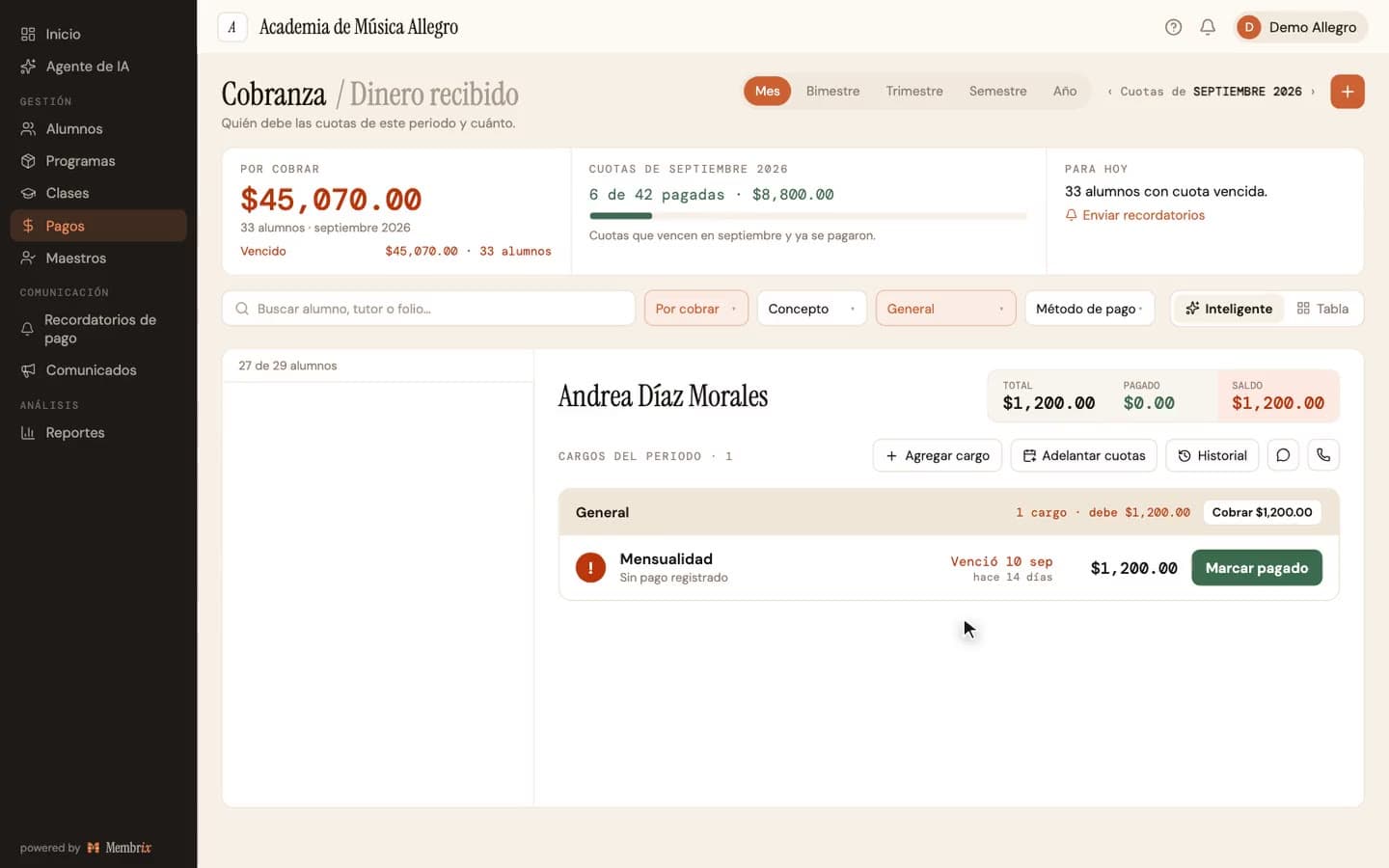
How it works in Membrix, step by step

What you see here is what the product does today.

  1. 1

    Set each program's due day

    Every program has its own amount and billing day, and Membrix generates the charges from that. Reminders are built on each charge's real due date.

  2. 2

    Turn on up to three reminder steps

    On the Reminders page you configure three steps. The defaults are three days before the due date, five days after and ten days after, all at 9 a.m., and you can change the timing and the hour of each one. They start turned off, so each academy activates only what it needs.

  3. 3

    Choose a tone and the channels

    Pick one of six tones (friendly, informative, direct, formal, urgent or final) and the channels for each step: an app notification, an email and, if you want, WhatsApp. You can add a short personal note of up to 100 characters.

  4. 4

    Let it run, or send one by hand

    Each run checks the balance and only reminds people who still owe, and each person gets one automatic batch per run. You can also send a reminder manually from the same page.

An example

A studio with a due date on the 5th (illustrative example)

The owner turns on all three steps: three days before, five days after and ten days after the due date, at 9 a.m. On the 2nd, students who still owe get a friendly note. On the 10th, only those who haven't paid get the direct one. On the 15th, the urgent one goes to the remaining few, and the owner sends template 7 by hand to the two who asked for a payment plan.

What each plan includes

Tracking who owes is free. Sending reminders for you is part of Pro.

Free

$0

  • Payment tracking with status for each charge: paid, pending, overdue
  • Automatic late fees per program, with grace days
  • The copy-paste templates on this page, sent by you

Pro

$49/moper location, billed monthly

  • Automatic reminders in up to three steps, by app notification and email
  • Manual reminders sent from the same page
  • WhatsApp as an extra channel (Spanish only, see the limits below)
  • Coverage view showing which students can be reached and how

Pro billed yearly: $41/mo per location ($499 a year). 7-day free trial.

What Membrix doesn't do here

So you don't find out after you sign up.

  • The messages Membrix sends automatically are written in Spanish. You can add a short note of your own, but the rest of the message is a fixed template.
  • There is no SMS channel. Membrix sends automatic reminders by app notification, email and WhatsApp. To send a text message, copy a template from this page and send it yourself.
  • App notifications reach only students who use the mobile app, which requires Pro.
  • WhatsApp reminders need each person's consent and go out from Membrix's number using Spanish-language templates. Don't count on WhatsApp for U.S. phone numbers.
  • Membrix sends reminders; it doesn't collect debts, and it doesn't take legal action or report to credit bureaus.

Frequently asked questions

Are Membrix's automatic reminders available in English?

+

Not yet. The automatic messages use fixed Spanish templates with the student's name, the amount and the due date filled in. You can add a personal note of up to 100 characters. If your students read English, use the templates on this page and send them yourself.

Can I send these templates from Membrix?

+

No. These templates are for you to copy into your own email, text messages or WhatsApp. Membrix's reminders use their own message text. What Membrix gives you is the list of who owes and how much, so you know exactly who to message.

Will Membrix remind someone who already paid?

+

Each automatic run checks the current balance and only includes students who still owe something. Once a payment is recorded, the balance drops and the student drops out of the next run.

Which plan do I need for reminders?

+

Automatic and manual reminders are part of Pro. On the free plan you still see who is pending or overdue on the Payments page and can apply automatic late fees, and you can use these templates to send messages yourself.

How firm should the last message be?

+

Firm about the date and the consequence, friendly about the person. Say what you need, by when, and offer a way to talk. Template 5 does that: it names the deadline, says what happens to the place in class and opens the door to a payment plan.

Know who owes before you write the message

Create an account, add your programs and see who is pending or overdue. Unlimited students on the free plan.

Free plan with unlimited students. Pro is $49 a month per location, with a 7-day free trial.

Create a free account

Membrix's app and dashboard are currently available in Spanish.