Online class registration: students sign up, you approve
Membrix gives you a link, and a QR code for it, where a student fills in your form, picks a class or program and waits for your review. You decide which questions to ask and when billing starts.
Free plan with unlimited students. No credit card to start.
Membrix's app and dashboard are currently available in Spanish.
Signing people up over text costs you an afternoon per new student
When someone asks about your classes, the details arrive in pieces: a voice note with a name, a photo of a form, “what time is Tuesday's class again?” In the end you copy it all into a spreadsheet yourself.
- Details arrive incomplete and you have to ask again: phone number, date of birth, emergency contact.
- Nobody knows which classes have room until you check, so people sign up for one that is already full.
- Your privacy notice and rules are accepted “verbally,” with no record of who accepted them.
- You type everything twice, first the message and then the spreadsheet, and one typo in a phone number means nobody answers later.
How it works in Membrix, step by step
What you see here is what the product does today.
- 1
Turn on your link
In Settings, School (Configuración → Escuela) you choose your academy's web address. Then, in Settings, Registration (Configuración → Inscripción), you turn on “Receive registrations” (Recibir inscripciones). Your link becomes membrix.mx/your-academy/inscribirse.
- 2
Build the form you want
The first question is always whether the person is an adult student or the guardian of a minor, and a guardian is also asked for their name. Name, phone and email are always included. Date of birth and emergency contact can be switched on or off and marked required or optional. You can change the text of each question and add your own fields: text, number, date, a list of options or a yes/no checkbox.
- 3
Decide what people can choose
They can pick a class (they see your active classes with their schedule, and full ones are marked, and you decide whether it's required) and, if you use programs, one or several, with or without the price shown.
- 4
Share it
Copy the link, send it in a message or download the QR code and tape it up at the entrance. From the same screen you can see how many people opened the link, how many signed up and how many are still waiting for review in the last seven days.
- 5
Review and approve
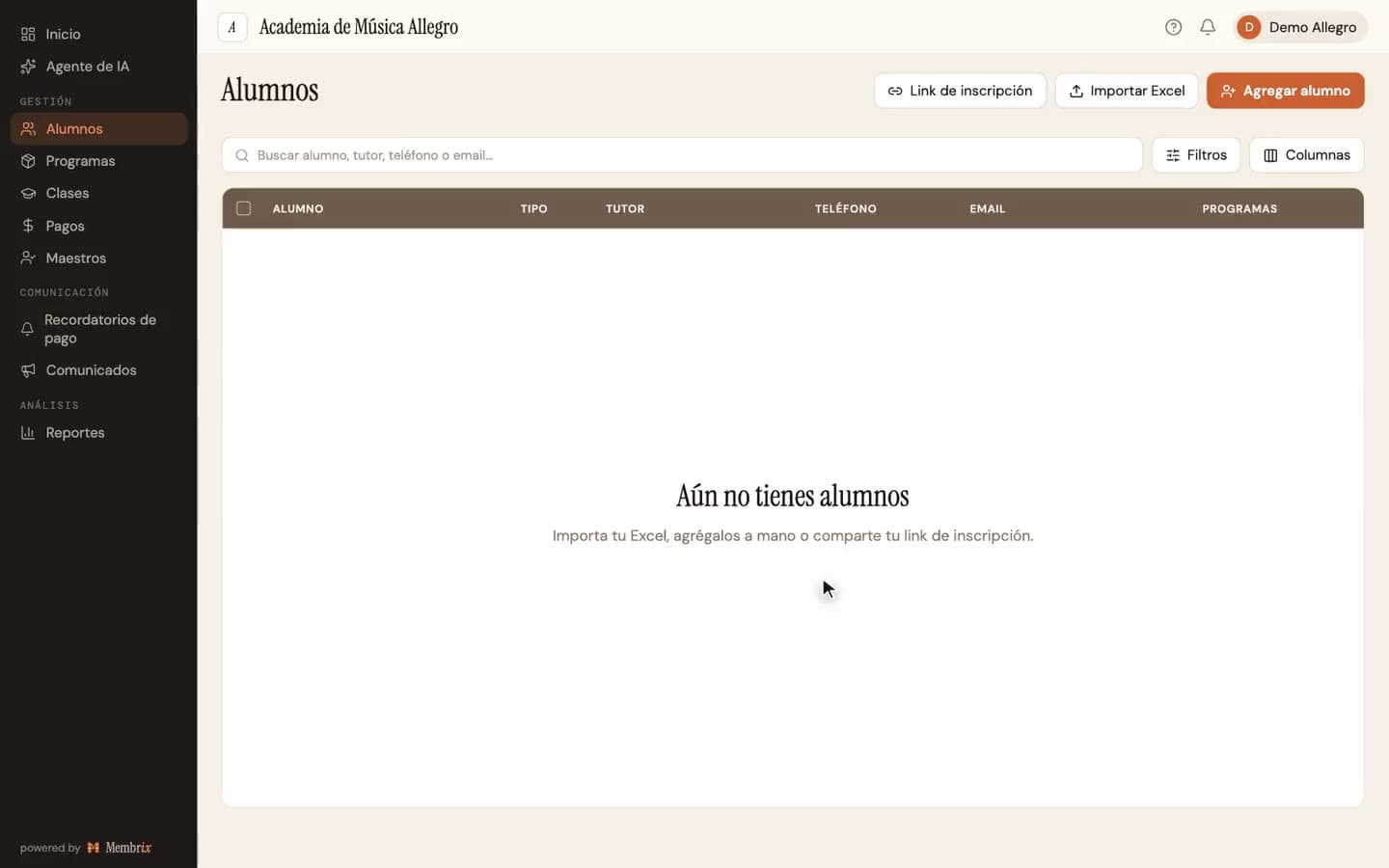
Every registration appears in Students tagged “New,” and you get an email and a bell notification. In “Approve registration” (Aprobar inscripción) you choose when billing starts for each program and confirm the schedule. If it doesn't apply, you reject it.
An example
A ballet school in September (illustrative example)
The owner tapes the QR code to the door and sends the link to the students. The form asks for a date of birth, an emergency contact and one field of the school's own: “Any medical conditions?” Each person picks the Saturday or the Tuesday group. Saturday is full and can't be selected. That night the owner opens Students, sees three marked “New,” approves two with billing starting October 1 and rejects one that was a duplicate.
What each plan includes
The link works on the free plan; what changes is how many new sign-ups a month go through without waiting.
Free
$0
- Link, QR code and a configurable form at no cost
- Up to 3 new sign-ups a month through the link (the academy's local month)
- Approve or reject each registration. Adding students by hand or importing them stays unlimited
- Your own fields, plus class and program choice
Pro
$49/moper location, billed monthly
- No monthly cap on sign-ups through the link
- Registrations that were waiting are released when you go Pro
- When you approve, create the student's app access and send the credentials
Pro billed yearly: $41/mo per location ($499 a year). 7-day free trial.
What Membrix doesn't do here
So you don't find out after you sign up.
- The form itself is displayed in Spanish: its buttons, confirmations and built-in questions. You can rewrite the text of every question, but the built-in wording stays in Spanish, so it works best when the people signing up read Spanish.
- It doesn't charge inside the form. A registration creates no charge until you approve it and choose when billing starts.
- The form doesn't accept files or photos, and it isn't an e-signature tool. It supports text, number, date, list and checkbox fields.
- On the free plan, once 3 sign-ups have gone through in a month, the next request (number 4) is put on hold: the student doesn't exist in your list yet. It is released when you go Pro or on the first day of the next month, in order of arrival and up to that month's limit of 3.
- It detects resubmissions (the same phone and name within five minutes) but doesn't check whether the person was a student months ago. Review that when you approve.
Frequently asked questions
Do I need a paid plan to use the registration link?
+
No. The link, the QR code and the form are on the free plan. The free plan lets 3 new sign-ups a month through the link; Pro has no such cap. Adding students by hand or importing them from a spreadsheet is unlimited on every plan.
What happens to on-hold registrations on the free plan?
+
The student isn't created yet. You can see how many are waiting, from what date and for which program, but not their names. They are released on the first day of the next month, in order of arrival and up to that month's limit, or all at once when you go Pro.
Is the student billed as soon as they sign up?
+
No. Signing up through the link creates no charges. When you approve it, you choose when billing starts for each program, and until then nothing is billed. That way you don't bill a month the student hadn't even started.
Can people pick a schedule or a class?
+
Yes. Turn on the option to let the student choose their class, and make it required if you like. They see your active classes with their schedule, and classes that are already full are marked. With programs, the schedule they choose is saved as their selection of series.
Is the sign-up form available in English?
+
Not today. The form's built-in wording is in Spanish, although you write the text of your own questions. If your community mostly reads English, consider this before you share the link.
You might also like
More pages about Membrix:
Class scheduling software
The classes, times and capacity people see when they sign up.
Student attendance software
What happens after a student is approved and in class.
Free academy management software
How the free plan and Pro split the registration link.
Dance studio management software
A studio's levels, recital fees and attendance.
Put your link out this week
Create an account, choose your academy's web address and turn on “Receive registrations.” Unlimited students on the free plan.
Free plan with unlimited students. Pro is $49 a month per location, with a 7-day free trial.
Membrix's app and dashboard are currently available in Spanish.